

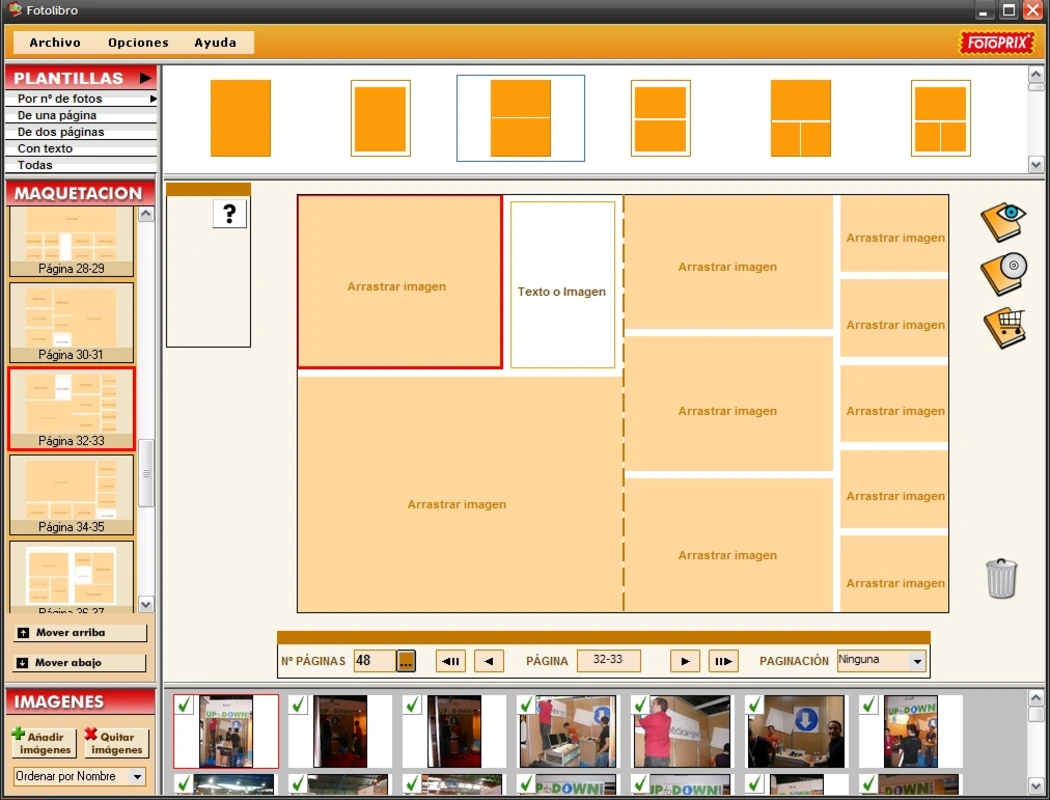
For many years, Fotoprix Fotolibro was a popular Spanish tool for designing albums and ordering prints. Projects were saved in files with the extension .PHA.
Over time, updates stopped around 2010and since then it does not work on Windows 10, Windows 11 or later versions. Anyone trying to open a file .PHA finds the system does not recognise it and the old program will not run.
This article explains what PHA files are and how to recover album photos even when the software is obsolete. An extraction tool is also available without requiring technical knowledge.
Yes, this page explains recovering photos from older albums.
The file .PHA is the format the old program used to save projects on your computer.
Within a single .PHA were stored:
Original project photos
Thumbnails and previews
Page layouts
Text and decorative elements
Project metadata
Information for ordering prints
It is a container of images and data in a proprietary, compressed format structured for Fotoprix. An ordinary image viewer cannot open it.
The program was designed for older systems:
Windows XP
Windows Vista
Windows 7
The last known version dates from 2010and since then it and was not updated for Windows 8, 10 or 11.
This can mean:
Installation problems on modern Windows
Old libraries preventing it from running
Incompatibility with 64-bit systems
The program may not start at all
Even if your file .PHA is safely stored, the original software is no longer operational on current systems.
Unfortunately, no.
Fotoprix no longer supports that software and there is no official tool to open or convert the files .PHA.
This has left many users with a problem:
➡️ memories stored in a PHA file that cannot be opened conventionally.
Yes.**
Even if the software does not work, the images remain inside the file .PHAusually compressed as PNG or JPG.
With a suitable extractor you can:
Open the PHA
Read its structure
Find original images
Save them as normal files
Recover old photos you thought lost
It can also work if:
The photobook was never printed
It was created 10, 15 or 20 years ago
The project was incomplete
The program reported errors
In many cases, the photos remain intact.
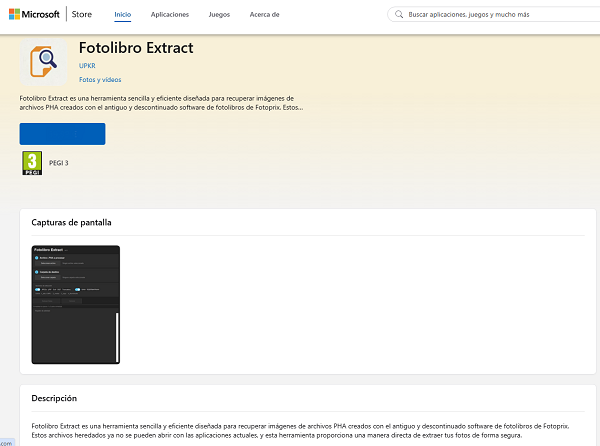
The approach described here is to use a dedicated PHA extraction tool.
I created a program for people who:
Cannot open an old photobook
Have no technical knowledge
Want easy photo recovery
Had given up hope of opening the project
The process is simple:
Download the free extractor.
Select your file .PHA.
Press the extraction button.
A folder is created with recovered photos.
No need to reinstall Fotoprix.
No virtual machines needed.
No technical knowledge required.
Usually it recovers:
Original photos in PNG or JPG
Cropped or adjusted project photos
Decorative images added to the album
Previews and thumbnails
Often the quality matches the original photo.
Even if it appears corrupt or incomplete, photos often remain inside.
and intact images may be partly recovered.
Do not worry.
The extractor detects whether:
The file It is not a valid PHA
The file is empty
The format is unknown
This avoids wasted attempts.
To recover your memories, you can use the free PHA extractor.
Download and use it without complicated installation.
➡️ download the PHA-opening tool
(obsolete version, no longer updated)
Fotoprix PHA files hold many families’ digital memories. Although the old program does not work on modern Windows, your memories are not lost.
Extraction tools let you recover, view, share or print the photos.
If you have a file .PHA from Fotoprix, the extractor can help recover its images.
Your memories deserve to be recovered.
Secure Microsoft payment · Immediate download · One-time payment, no subscriptions
Déjanos tu email y descubre cómo conseguir un postre gratis en Veganashi durante octubre. Además, entrarás en el Radar Vegano BCN para recibir nuestras novedades y promociones.
📡 ¡Bienvenido al Radar Vegano BCN!


